How to Evaluate and Choose the Right ERP System for Your Business
A practical, no-fluff guide for business owners and decision-makers who want to get this right the first time.
Choosing an ERP system feels like one of those decisions that could either transform your business or haunt your finance team for the next decade. And honestly? Both outcomes happen — far more often than ERP vendors would like you to know.
The global ERP software market is expected to surpass $100 billion by 2030, which means there's no shortage of options, sales pitches, and "industry-leading solutions" competing for your attention. But the real question isn't which ERP is the best in the world. It's which ERP is the best for you.
This guide walks you through how to evaluate and choose the right ERP system in a way that's grounded, methodical, and built around how real businesses actually operate.
What Is an ERP System — and Why Does It Matter?
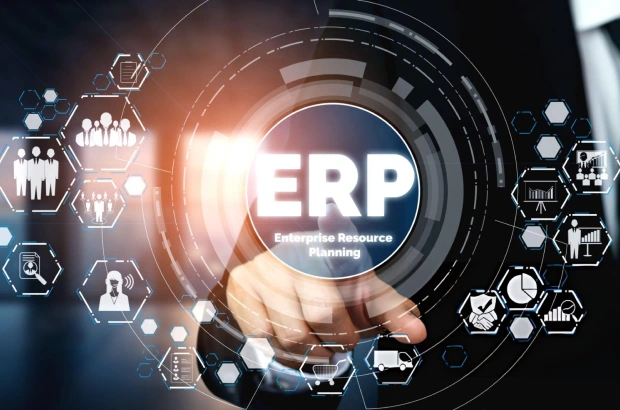
An Enterprise Resource Planning system is software that integrates your core business processes — finance, procurement, supply chain, HR, manufacturing, CRM, and more — into a single unified platform.
The idea is simple: instead of your accounting team working in one tool, your inventory team in another, and your sales team in a third, everyone pulls from the same data in real time. Less manual reconciliation. Fewer errors. Faster decisions.
When implemented well, ERP systems eliminate data silos, improve reporting accuracy, reduce operational costs, and scale with your business as you grow. When implemented poorly — and this is critical — they become expensive, frustrating shelfware that nobody actually uses.
That's why the evaluation process matters as much as the software itself.
Step 1: Define Your Business Requirements Before Talking to Any Vendor
The single biggest mistake companies make when selecting an ERP is jumping into demos before they've figured out what they actually need.
Before you speak to a single vendor, sit down with your department heads and answer these questions honestly:
What are your biggest operational pain points right now?
Are orders getting lost? Is month-end close taking three weeks? Is your inventory data unreliable? Are you manually entering the same information in five different places?
What processes are core to your business model?
A distribution company has very different needs than a professional services firm or a discrete manufacturer. Your ERP needs to handle what makes your business tick, not just what every business does generically.
What does growth look like in the next three to five years?
Are you planning to expand into new geographies, add product lines, acquire companies, or scale your workforce? Your ERP needs to grow with you, not force a painful re-implementation in 18 months.
What are your integration requirements?
What tools are you already using that you want to keep — your CRM, e-commerce platform, payroll system, third-party logistics provider? A good ERP should connect to your ecosystem, not replace everything in it.
Document all of this. Seriously, write it down. A formal business requirements document (BRD) becomes your anchor throughout the entire evaluation process and prevents vendors from dazzling you with features you don't actually need.
Step 2: Understand the Different Types of ERP Deployment Models
Not all ERP systems are built the same way, and the deployment model you choose has long-term implications for cost, control, and flexibility.
Cloud ERP (SaaS): Software hosted by the vendor and accessed via the internet. You pay a subscription fee and the vendor handles infrastructure, updates, and security. Best for businesses that want lower upfront costs, faster implementation, and automatic upgrades. Examples include NetSuite, SAP S/4HANA Cloud, and Microsoft Dynamics 365.
On-Premise ERP: Software installed on your own servers. You buy the licenses, manage the infrastructure, and handle your own updates. Higher upfront cost, but more control over data and customization. Often preferred by highly regulated industries or businesses with complex custom requirements.
Hybrid ERP: Some combination of both — perhaps your core financials are in the cloud while a specialized manufacturing module runs on-premise. More flexibility, but also more complexity in integration and management.
Industry-specific ERP: Industry specific ERP built specifically for certain industries — healthcare, construction, retail, food and beverage, nonprofits. If your industry has unique compliance requirements or operational workflows, a vertical ERP may save you significant customization effort.
There's no universally right answer here. The right deployment model depends on your IT resources, budget structure, compliance requirements, and how quickly you need to be up and running.
Step 3: Build a Shortlist Using a Structured Scoring Process
Once you know what you need and what type of system fits your environment, it's time to build a shortlist of ERP vendors to evaluate seriously. Aim for three to five vendors — fewer if your requirements are very specialized.
Here's how to evaluate them objectively rather than falling for whoever gives the best demo:
Functional Fit: Does the system actually handle the core processes you outlined in Step 1? Don't accept "we can configure that" as an answer without seeing it demonstrated. Ask vendors to run specific scenarios relevant to your business — your actual workflows, not generic ones.
Total Cost of Ownership (TCO): The subscription or license fee is just one part of the cost. Factor in implementation services, data migration, user training, customization, integration development, ongoing support, and annual maintenance. A system that looks cheaper upfront can easily cost more over five years than a premium alternative.
Scalability: Can the system handle two times, five times, or ten times your current transaction volume? Ask for case studies from companies similar to yours who've grown significantly on the platform.

Vendor Stability and Track Record: How long has the vendor been in business? How many customers in your industry do they serve? What does their product roadmap look like? ERP implementations are long-term commitments — you don't want your vendor to be acquired and sunsetted two years in.
Implementation Partner Ecosystem: For larger ERP systems, you'll typically work with a certified implementation partner rather than the vendor directly. The quality of your implementation partner may matter more than the software itself. Ask for references, look at their methodology, and evaluate their experience in your specific industry.
User Experience: This one is underrated. If your team finds the system confusing or frustrating, adoption will suffer — and a sophisticated ERP that nobody uses properly is worthless. Get real users involved in the evaluation, not just IT and finance leadership.
Step 4: Run a Proper RFP and Demo Process
Once you have your shortlist, run a formal Request for Proposal (RFP) process. Send each vendor your business requirements document and ask them to respond with how their system addresses each requirement, their proposed implementation approach, timeline, and pricing.
This creates an apples-to-apples comparison and forces vendors to respond to your priorities, not their standard pitch.
From there, conduct structured product demonstrations. Don't let vendors run a canned demo. Instead, provide them with scripted scenarios based on your actual workflows and ask them to demonstrate those specifically. This is where you'll quickly identify gaps between what vendors claim and what their software actually does.
Key things to watch for during demos:
- How many clicks does it take to complete a common task?
- How does the system handle exceptions and error states?
- How does reporting work — can your team actually pull the data they need, or does everything require IT involvement?
- How does the mobile experience look, if that's relevant to your team?
After demos, conduct reference checks with existing customers in your industry. Ask them specifically about implementation pain points, support quality, and whether they'd choose the same vendor again.
Step 5: Evaluate the Implementation Plan — Not Just the Software
Here's something vendors rarely volunteer: the implementation is where ERP projects succeed or fail, far more often than the software itself.
A poorly planned implementation leads to data migration disasters, missed go-live dates, budget overruns, and burned-out staff. A well-structured implementation keeps things grounded, manageable, and aligned with your business operations.
When evaluating implementation plans, ask about:
Key things to watch for during demos:
- Implementation methodology: Do they use a phased rollout or a big bang approach? Phased rollouts (launching core financials first, then adding modules over time) are lower risk for most businesses, though they take longer.
- Data migration strategy: How will your historical data be migrated? Who is responsible for cleansing and validating it? This is where projects consistently underestimate the time and effort required.
- Change management: ERP implementations don't just change software — they change how people do their jobs. Is there a plan for training, communication, and managing resistance? The human side of implementation is as important as the technical side.
- Go-live support: What level of support is available immediately after go-live, when issues inevitably surface? Make sure there's a clear hypercare period with dedicated resources.
Get everything in writing. A detailed Statement of Work (SOW) with defined deliverables, timelines, and responsibilities protects you when the inevitable scope discussions arise.
Step 6: Don't Underestimate Change Management
Let's be direct about something that gets glossed over in most ERP evaluation content: your employees are the ones who make or break this investment.
The most technically capable ERP in the world fails if your team doesn't adopt it. And people resist change — especially when that change involves learning a new system while still doing their day jobs.
Good change management means involving key users early in the evaluation process (so they feel ownership, not imposition), communicating clearly and consistently about why you're making the change and what it means for each role, training people before go-live in ways that are relevant to their actual tasks, and having executive sponsorship that's visible and genuine.
This isn't soft. It's one of the highest-ROI investments you can make in an ERP project.
Common ERP Evaluation Mistakes to Avoid
Letting IT lead without business input: ERP selection should be driven by business needs, not technology preferences. IT should be a critical voice, but not the only one.
Over-customizing: The more you customize an ERP away from its standard configuration, the harder it becomes to upgrade and maintain. Push back on customization requests and ask whether a process change might serve the same goal.
Underestimating time and resources: ERP implementations take longer and cost more than initial estimates in the vast majority of cases. Build contingency into your timeline and budget from the start.
Choosing on price alone: The cheapest option rarely delivers the best outcomes. Focus on total value — including implementation risk, long-term fit, and vendor support quality.
Ignoring the end users: Involving frontline users in the evaluation and keeping them informed throughout the project dramatically improves adoption rates post-launch.
The Right ERP for Your Business: A Decision Framework
After all the research, demos, and deliberation, the right ERP system is the one that:
- Addresses your specific business requirements without requiring excessive customization
- Fits your budget on a total cost of ownership basis, not just licensing
- Scales with your growth plans over the next five or more years
- Can be implemented successfully with the resources and timeline you have
- Will actually be adopted by your team
No ERP is perfect. Every implementation involves tradeoffs. The goal isn't to find a flawless system — it's to find the right fit for where your business is today and where it's going.
Take your time with the evaluation. Pressure from vendors to "sign before quarter end" is a sales tactic, not a reason to rush one of the most significant technology decisions your business will make.
Done thoughtfully, an ERP implementation doesn't just improve operations — it creates the operational foundation that allows your business to scale, compete, and grow with confidence.